Excelgoodies logo +44 (0)20 3769 3689
The #1 Power Platform Course for Career Transformation

Microsoft Power Platform & AI (On-Cloud)

Power BI | Power Apps | Power Automate | Copilot Studio |
Power Pages | Dataverse

  • Live Online | 4 Weeks (20 sessions, 2 hrs each)
  • 6 Certificates | 35+ Real-Time Projects

(1.5K+ Professionals enrolled)

Prove you're human: Type the code shown.

=
Excelgoodies

Program Overview

Training Schedule

Tuesday, 11 Apr

View Schedule

4 Weeks | 40 Hours

20 Sessions, 2 Hrs Each

Live Online, Instructor-Led

Certificates

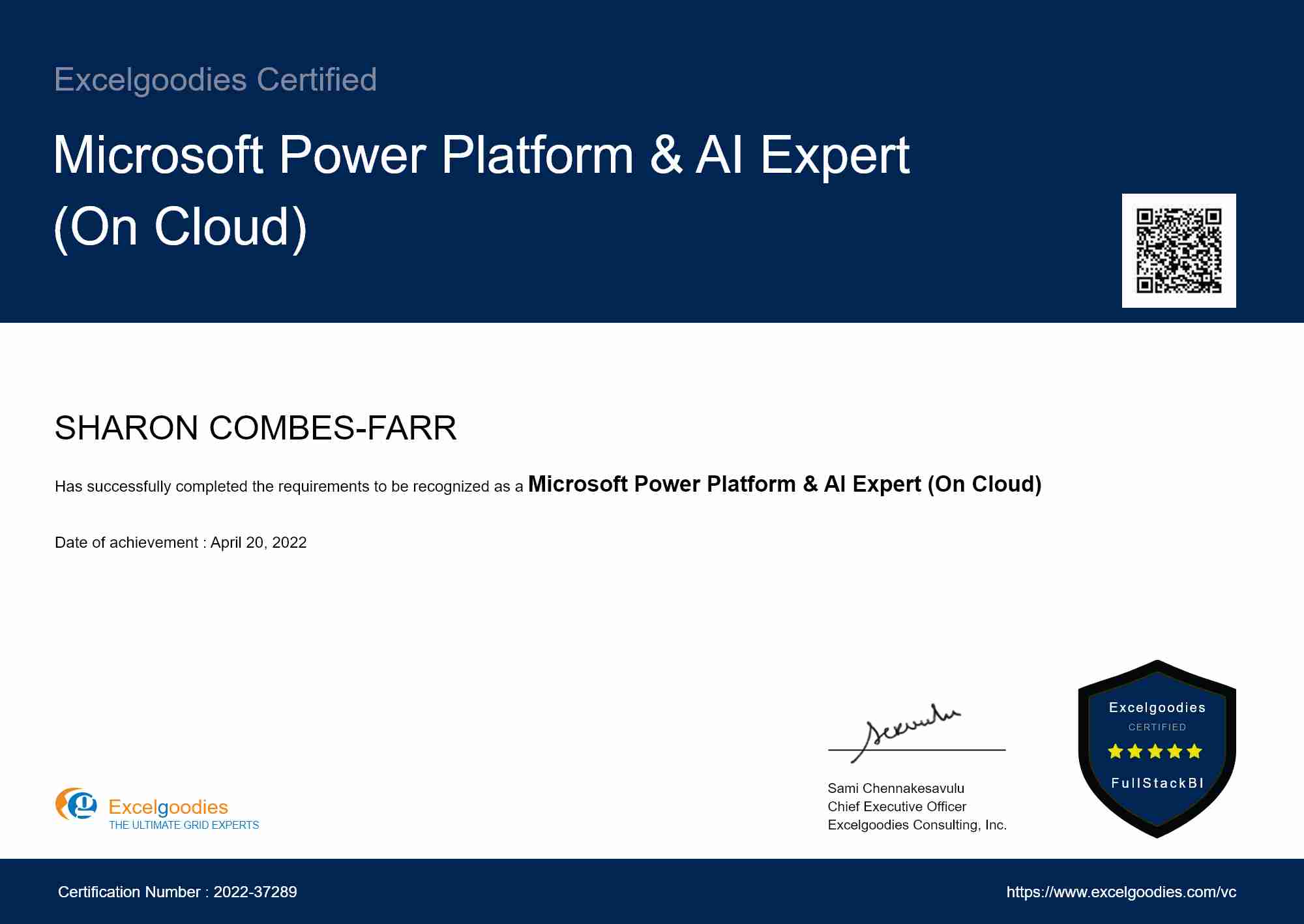
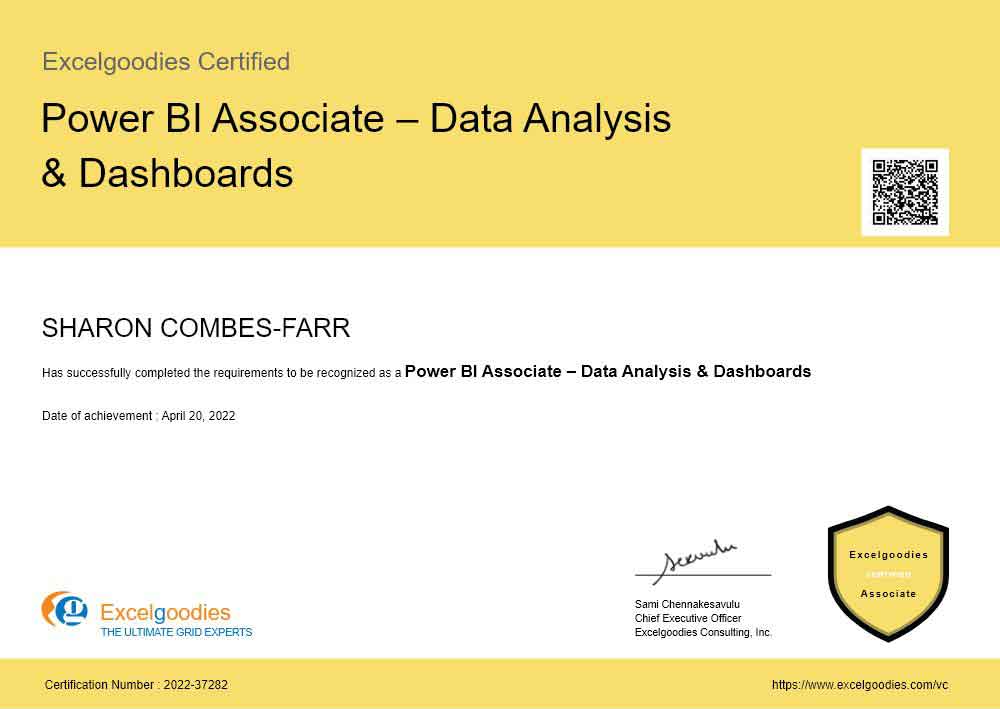
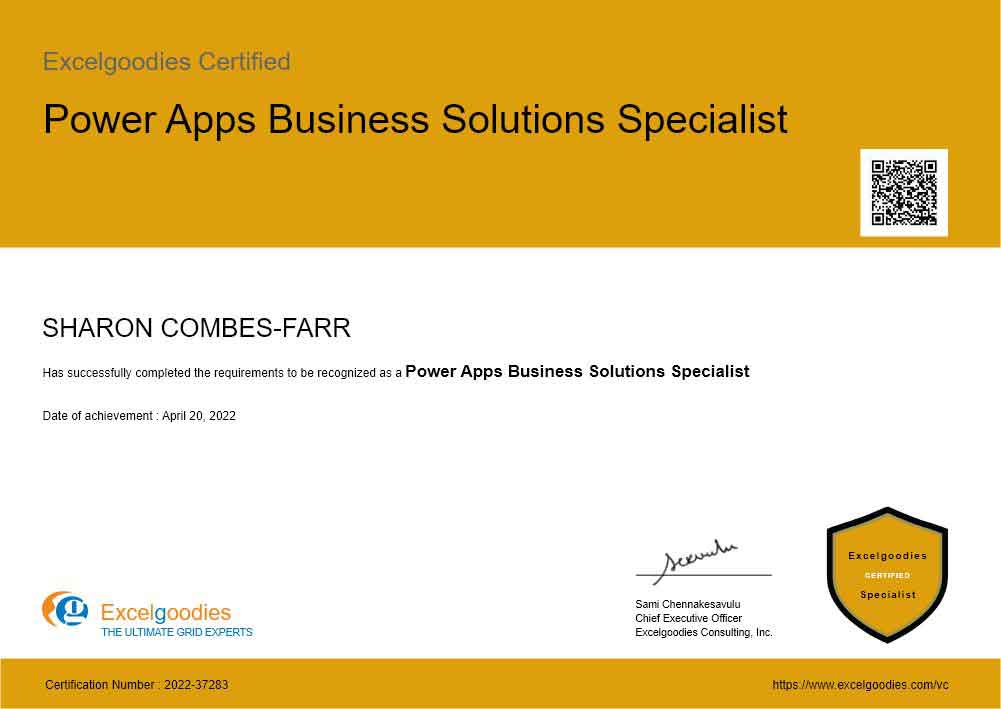
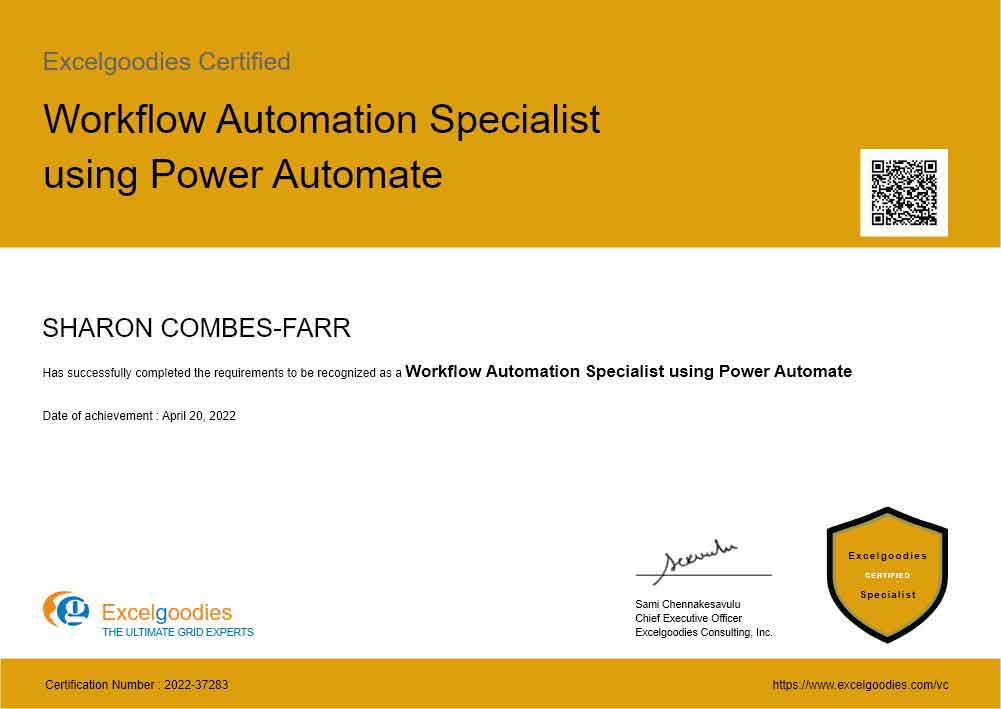
6 Specialist Certificates

View Certificate Details

Course Fee

£1299

Check what’s included?

Microsoft Power Platform & AI (On Cloud)

floating_menu floating_menu floating_menu

Batch starts on

th

From Analyst to Architect

Power BI + Power Apps + Power Automate + AI

Master the tools that companies are hiring for — in just 4 weeks.

Cloud-Powered BI Reporting, Automation & AI

Perfect for professionals ready to adopt cloud-based tools for dynamic reporting, workflow automation, AI-powered chatbots, external portals, and enterprise data management—"no coding knowledge required".

Tools You'll Learn

Visualization & Reporting Tool

Microsoft Power BI

Data Modeling & Analytics Tools

Power Pivot, DAX

Data Transformation Tools

Power Query

Automation & Workflow Tools

Power Automate, Apps

AI & Conversational Tools

Copilot Studio

Portal & Web Tools

Power Pages

Data Platform

Microsoft Dataverse

In just 4 weeks, you'll be able to:

Design End-to-End BI Solutions – Integrate Power BI, Power Apps, and Power Automate.

Build AI-Powered Chatbots with Copilot Studio – Design intelligent bots that automate conversations, capture leads, and streamline customer interactions.

Create External-Facing Portals with Power Pages – Build professional websites and self-service portals for customers, partners, and vendors with no-code/low-code design.

Manage Enterprise Data with Dataverse – Design and manage secure, scalable data models that power your apps, bots, flows, and portals.

Automate Workflows with Power Automate – Eliminate manual tasks and ensure seamless processes.

Build Interactive Apps – Use Power Apps to create intuitive business applications.

Optimize Reporting Performance – Improve speed and efficiency with optimized DAX and data models.

Deploy Cloud-Based BI & AI Systems – Deliver fully automated, AI-enhanced, scalable reporting, portal and automation solutions.

In just 4 weeks, you'll be able to:

Design End-to-End BI Solutions – Integrate Power BI, Power Apps, and Power Automate.

Build AI-Powered Chatbots with Copilot Studio – Design intelligent bots that automate conversations, capture leads, and streamline customer interactions.

Create External-Facing Portals with Power Pages – Build professional websites and self-service portals for customers, partners, and vendors with no-code/low-code design.

Manage Enterprise Data with Dataverse – Design and manage secure, scalable data models that power your apps, bots, flows, and portals.

Automate Workflows with Power Automate – Eliminate manual tasks and ensure seamless processes.

Build Interactive Apps – Use Power Apps to create intuitive business applications.

Optimize Reporting Performance – Improve speed and efficiency with optimized DAX and data models.

Deploy Cloud-Based BI & AI Systems – Deliver fully automated, AI-enhanced, scalable reporting, portal and automation solutions.

Ideal For:

fullstack courses

Analysts and Operations Managers

transitioning to cloud-first reporting and automation.

fullstack courses

Managers Driving Data-Driven Decisions

looking to optimize cloud-based reporting and automation across departments.

fullstack courses

Mid-Level Professionals and Team Leads

or those in Hybrid Roles bridging the gap between business and IT teams.

fullstack courses

Business Intelligence and Data Analysts

working in cloud-based environments and looking to leverage AI and self-service portals.

fullstack courses

Those Transitioning to Cloud-First Solutions

Shifting to cloud-first reporting, automation, AI chatbots, and portal development.

fullstack courses

IT and System Support Professionals

Focused on business reporting and workflows, rather than cloud infrastructure.

A snapshot of what you'll be learning in 4-weeks.

Course Syllabus Overview

Power BI

Building Blocks of Power BI
  • Visualizations
  • Datasets
  • Reports
  • Dashboards
  • Tiles
Building Your First Power BI Report
  • Connect to Data Sources in Power BI Desktop
  • Clean and Transform Your Data With the Query Editor
  • Create a report in Power BI Desktop
  • Publish the report in the Power BI service
Data Modelling with Power BI
  • Fundamentals of Modelling
  • How to Manage Your Data Relationships
  • Create Calculated Columns
  • Optimizing Data Models for Better Visuals
  • Create measures and work with time-based functions
  • Create Calculated Tables
  • Explore Time-Based Data
Visualizations
  • Create and Customize Simple Visualizations
Building compelling data visualizations
  • Identify metrics and pair them with appropriate data visuals
  • Using slicers
  • Creating Map Visualizations
  • Creating Tables and Matrixes
  • Creating Waterfall and Funnel Charts
  • Using Gauges and Single Number Cards
  • Charting Options including Formatting with Colors, Shapes, Text Boxes, Images, etc.
Designing User-friendly reports
  • Customize themes
  • Create versatile layouts for your reports
  • Design principles to reduce noise and highlight data stories
Creating interactive reports for data exploration
  • Filtering & drilling for insights
  • Difference between filters & slicers
  • Filter pane for reporting needs

Power Query

Overview
  • Introduction
  • Loading & Refresh
  • Combine data from multiple data sources
Data Transformation
  • Editing Queries Created with Power Query
  • Editing Column Headers in Power Query
  • Splitting Column Data with Power Query
  • Sorting Data
  • Multi-Level Sorting
  • Filtering Data
  • Aggregate data from a column
  • Insert a custom column into a table
  • Merge columns
  • Remove columns
  • Remove rows with errors
  • Promote a row to column headers
  • Transforming Text Values
  • Replacing Data
  • Using the Fill command
  • Pivot and Unpivot Column
  • Transpose Query Data
  • Pivot Column Command in Action
  • Unpivot Columns Command
  • Grouping Data
  • Create a Duplicate Query
  • Group and Summarize Data
  • Advanced Data Grouping
  • Working with multiple sources in Power Query
  • Multiple Excel Tables
  • Expand a column containing an associated table
  • Understanding Table Relationships
  • Merging Queries
Loading Power Query Data to Destinations
  • Familiarity with the Load & Refresh Settings
  • Loading it to Workbook
  • Loading it to Data Model

DAX Functions

Overview
  • What is DAX?
  • Data Types
  • Table-Valued Functions
  • Building a Calendar Table
  • Date and Time Functions
  • Filter Functions
  • Information Functions
  • Logical Functions
  • Mathematical and Trigonometric Functions
  • Statistical Functions
  • Text Functions
  • Time Intelligence Functions
  • Creating Advanced DAX Measures With Advanced DAX Functions
Creating Advanced Dax Measures With Advanced Dax Functions
  • Calculate()
  • All()
  • Filter()
  • IF()
  • Switch()
  • SumX()
Evaluation Context
  • Filter Context
  • Row Context
  • Using RELATED in a Row Context
  • Filters and Relationships
  • USERELATIONSHIP
Hierarchies in DAX Querying with DAX Relationships
  • One-to-Many Relationships
  • Many-to-Many Relationships

Advanced DAX Functions

ADVANCED DAX FUNCTIONS ADVANCED CONTEXT CONCEPTS
  • Understanding and Debugging Context Transition
  • Expanded Tables and Filter Propagation
  • Using VAR for Performance and Clarity
  • Using TREATAS() to Apply Filters Between Unrelated Tables
  • Virtual Relationships using DAX
  • Shadow Filters and Filter Overriding Techniques
ADVANCED CALCULATION PATTERNS
  • Running Totals with Custom Filter Logic
  • Rolling Averages (e.g., 7-day, 12-month)
  • Year-over-Year (YoY), Quarter-over-Quarter (QoQ), MoM with Non-Standard Calendars
  • Top N Reporting with Others Grouping
  • Parent-Child Hierarchy Navigation using PATH, PATHITEM, PATHLENGTH
  • Budget vs. Actual Comparison Patterns
  • Custom Grouping (Bucketing) in DAX
ADVANCED TIME INTELLIGENCE
  • Semi-Additive Measures (e.g., Closing Balance, Opening Balance)
  • Workdays and Custom Holiday Calendars
  • Dynamic Period Selection (MTD, QTD, YTD) based on Slicers
  • Cumulative Totals Across Multiple Tables or Years
ADVANCED FILTER + CALCULATE PATTERNS
  • Multiple Filters in a Single CALCULATE
  • Using NOT, EXCEPT, INTERSECT inside CALCULATE
  • Combine CALCULATE with FILTER(), VALUES(), ALLSELECTED(), KEEPFILTERS()
RELATIONSHIP MODELING TECHNIQUES
  • Virtual Relationships using DAX (TREATAS, LOOKUPVALUE)
  • USERELATIONSHIP vs. CROSSFILTER
  • Handling Bi-Directional Relationships with Care
  • Many-to-Many Solutions using DAX with Bridge Tables
PERFORMANCE OPTIMIZATION
  • Understanding and Using DAX Studio and VertiPaq Analyzer
  • Optimizing Calculated Columns vs. Measures
  • Query Plans and Storage Engine vs. Formula Engine
  • Cardinality and its impact on performance
  • Avoiding common DAX performance anti-patterns (e.g., misuse of SUMX inside FILTER)
DEBUGGING AND TESTING
  • Using DEFINE MEASURE and EVALUATE in DAX Studio
  • Evaluating DAX logic step-by-step with VAR and RETURN
  • Tools: Performance Analyzer in Power BI
SPECIAL FUNCTIONS AND USE CASES
  • GENERATE(), GENERATEALL(), ADDCOLUMNS()
  • SUMMARIZE(), SUMMARIZECOLUMNS(), GROUPBY()
  • ISINSCOPE(), SELECTEDVALUE() vs VALUES()
  • RANKX(), TOPN(), PERCENTILEX.INC
  • CONTAINS(), LOOKUPVALUE(), RELATEDTABLE()

Power Pivot

Introduction to PowerPivot
  • Limitation of Excel Functions
  • Limitation of Excel PivotTable
  • Why PowerPivot?
  • PowerPivot Features - Overview
PowerPivot Environment
  • Opening PowerPivot Environment
  • Understanding External Data Section
  • Understanding Formatting
  • PowerPivot Views
  • Understanding Measures
Taking Data into PowerPivot
  • From Excel
  • From MS-SQL
  • From Text Files
  • From Other Sources
Calculated Columns
  • Calculated Columns
  • Entering Formulas
  • Using AutoComplete Feature
  • Renaming Columns
  • Understanding Tables
Creating Measures
  • Creating Simple DAX Measures
  • Explicit Measure Vs Implicit Measure
  • Referencing Measures in Other Measures
  • Formatting Measures
Manage Data Relationships Working with Multiple Tables Disconnected Tables Creating custom calendars Using ADVANCED FILTER() Advanced Calculated Columns
  • Understanding Relationship Concept
  • JOIN TABLES
  • LEFT JOIN TABLES
  • RIGHT JOIN TABLES
  • Using UNION QUERIES
Data Visualization Using
  • Charts, Score Cards and Dashboards
  • Slicers
  • Data Binding and Formatting
Creating Advanced Dashboards with PowerPivot

Power BI Administration

Objective: Get hands-on experience with advanced administration settings, permissions, Data refresh times etc.

Overview

  • Publishing Power BI Reports
  • Creating & Managing Workspaces and Its Access
  • Creating & Managing Dashboard and Its Access
  • Installing & Configuring Data gateway
  • Scheduling and configuring data refresh
  • Managing & Reusing Datasets
  • Scheduling Report Alerts
  • Setting up Row Level Permissions
  • Managing Users & Audit Log
  • Custom Branding Power BI For your Organization
  • Adding Custom Visuals for your Organization

Power Apps

INTRODUCTION TO POWER APPS

Overview of Power Apps

  • What is Power Apps?
  • Benefits and use cases
  • Types of Power Apps: Canvas, Model-Driven, and Portal Apps

Getting Started

  • Setting up your Power Apps environment
  • Navigating the Power Apps interface

DATA INTEGRATION AND MANAGEMENT

Connecting to Data Sources

  • Introduction to connectors
  • Connecting to common data sources (SharePoint, Excel, SQL Server, etc.)

Managing Data

  • Understanding data tables and collections

BUILDING YOUR FIRST CANVAS APP

Basics of Canvas Apps

  • Understanding Canvas Apps
  • Creating a simple Canvas App
  • Adding screens and navigation
  • Creating simple app to view details from data source.
  • Using simple forms to display and edit data

ADVANCED CANVAS APP FEATURES

User Experience Design

  • Designing responsive layouts
  • Using themes and templates
  • Best practices for user interface design

Working with Controls

  • Using different types of controls like
  • Button
  • Text input
  • Drop down
  • Combo Box
  • Date picker
  • List box
  • Radio
  • Text label
  • Vertical gallery
  • Horizontal gallery
  • Flexible height gallery
  • Blank Vertical gallery
  • Blank Horizontal gallery
  • Blank Flexible height gallery
  • Data table
  • Horizontal container
  • Vertical container
  • Container
  • Image
  • Icons
  • Shapes
  • Working with control properties

Working with Variables

  • Global variables
  • Context variable
  • Collections

Using formulas for dynamic form management

  • Functions to be used in forms
  • SubmitForm
  • EditForm
  • Clear
  • ClearCollect
  • Collect
  • Filter
  • If
  • Navigate
  • NewForm
  • Notify
  • Patch
  • Refresh
  • Search
  • Set
  • Text
  • ThisItem
  • Value

Advanced Controls and Features

  • Working with media (images, videos)
  • Implementing charts and graphs
  • Using Power Automate for workflows

Understanding the Common Data Service (Dataverse)

  • Creating entities and relationships
  • Building a simple Model-Driven App

SECURITY AND ADMINISTRATION

  • Security in Power Apps

Understanding security roles and permissions

  • Implementing data security

App Management

  • Managing app versions
  • Publishing and sharing apps

BEST PRACTICES AND ADVANCED TOPICS

  • Performance Optimization
  • Tips for improving app performance
  • Debugging and troubleshooting techniques
  • Real-World Use Cases

REALTIME PROJECTS

  • Project 1: Employee Leave Request App
  • Project 2: Inventory Management App
  • Project 3: Customer Feedback App
  • Project 4: Project Management Dashboard
  • Project 5: Sales Order Processing App

Power Automate

INTRODUCTION TO POWER AUTOMATE

Overview of Power Automate

  • What is Power Automate?
  • Benefits and use cases
  • Types of flows: Cloud Flows, Desktop Flows, and Business Process Flows

Getting Started

  • Setting up your Power Automate environment
  • Navigating the Power Automate interface

CREATING YOUR FIRST FLOW

Basics of Flow Creation

  • Understanding triggers and actions
  • Creating a simple flow
  • Running and testing flows

Flow Templates

  • Using predefined templates
  • Customizing template flows
  • Best practices for using templates

WORKING WITH CONNECTORS

Introduction to Connectors

  • Understanding connectors and their roles
  • Connecting to common data sources (SharePoint, OneDrive, Outlook, etc.)

Advanced Data Integration

  • Using premium connectors
  • Connecting to SQL Server, Azure, and other advanced data sources

ADVANCED FLOW FEATURES

Conditions and Loops

  • Implementing conditional logic
  • Using loops for repetitive tasks

Approvals and Notifications

  • Creating approval workflows
  • Sending email and mobile notifications
  • Error Handling and Troubleshooting

Managing errors in flows

  • Debugging and troubleshooting techniques

DESKTOP FLOWS (RPA)

Introduction to Desktop Flows

  • Understanding Robotic Process Automation (RPA)
  • Setting up Power Automate Desktop

Building Desktop Flows

  • Recording desktop actions
  • Automating desktop applications

Advanced Desktop Flow Features

  • Using conditions and loops in desktop flows
  • Integrating with cloud flows

BUSINESS PROCESS FLOWS

Introduction to Business Process Flows

  • Understanding business process automation
  • Creating a simple business process flow

Customizing Business Process Flows

  • Defining stages and steps
  • Implementing business rules and logic

Advanced Business Process Flow Features

  • Using custom entities and fields
  • Integrating with Power Apps

PROJECTS

Power Automate Projects

  • Project 1: Automated Invoice Approval Workflow
  • Project 2: Employee Onboarding Automation
  • Project 3: Social Media Post Scheduler
  • Project 4: Customer Support Ticketing System
  • Project 5: Monthly Sales Report Automation

Desktop Flows (RPA)

  • Project 1: Automated Data Entry from Emails
  • Project 2: Invoice Processing and Archiving
  • Project 3: Automated Report Generation
  • Project 4: Customer Account Reconciliation
  • Project 5: Automated Data Migration

Microsoft Copilot Studio

INTRODUCTION TO COPILOT STUDIO

Overview of Copilot Studio

  • What is Microsoft Copilot Studio?
  • Benefits and use cases for business automation
  • Understanding Copilot Studio vs. traditional chatbot platforms
  • Licensing and environment setup

Getting Started

  • Setting up your Copilot Studio environment
  • Navigating the Copilot Studio interface
  • Understanding the bot creation workflow

BUILDING YOUR FIRST COPILOT

Basics of Bot Creation

  • Creating a new copilot from scratch
  • Using templates for quick deployment
  • Configuring bot identity, greeting, and fallback behavior

Topics and Trigger Phrases

  • Understanding Topics as conversation building blocks
  • Creating and managing trigger phrases
  • Designing conversation flows with the authoring canvas
  • Using message nodes, question nodes, and condition branches

ENTITIES, VARIABLES & SLOT FILLING

  • Pre-built entities (date, number, email, city, etc.)
  • Creating custom entities and closed-list entities
  • Using variables to store and pass user input
  • Global variables vs. topic-level variables
  • Slot filling for natural conversation handling

GENERATIVE AI & KNOWLEDGE SOURCES

  • Enabling Generative Answers (AI-powered responses)
  • Connecting knowledge sources: websites, SharePoint, uploaded documents, Dataverse
  • Configuring content moderation and response quality
  • Boosting topics with generative AI fallback
  • Understanding when to use authored topics vs. generative answers

INTEGRATION WITH POWER PLATFORM

Power Automate Integration

  • Calling Power Automate flows from Copilot Studio
  • Passing variables between bot and flow
  • Automating backend processes triggered by conversations

Power Apps Integration

  • Embedding Copilot Studio bots within Power Apps canvas apps
  • Using bots to enhance app user experience

Dataverse Integration

  • Reading and writing data to Dataverse from conversations
  • Building bots that query business data in real time

PUBLISHING & CHANNELS

  • Publishing your bot to Microsoft Teams
  • Deploying to websites (custom and SharePoint)

BEST PRACTICES & ADVANCED TOPICS

  • Designing conversational UX: tone, length, error handling
  • Multi-language bot configuration
  • Bot testing and debugging techniques
  • Performance optimization and response speed
  • Using Copilot Studio with Microsoft 365 Copilot ecosystem

REAL-TIME PROJECTS

  • Project 1: Customer FAQ & Support Bot
  • Project 2: Employee IT Helpdesk Bot
  • Project 3: Lead Qualification & Routing Bot
  • Project 4: HR Policy & Leave Inquiry Bot
  • Project 5: Appointment Booking & Scheduling Bot

Microsoft Power Pages

INTRODUCTION TO POWER PAGES

Overview of Power Pages

  • What is Microsoft Power Pages?
  • Benefits and use cases for external-facing portals
  • Power Pages vs. Power Apps portals (legacy)
  • Understanding the Power Pages architecture

Getting Started

  • Setting up your Power Pages environment
  • Navigating the Power Pages design studio
  • Understanding site templates and starter layouts

BUILDING YOUR FIRST PORTAL

Site Design & Pages

  • Creating and managing web pages
  • Using the drag-and-drop WYSIWYG editor
  • Working with sections, columns, and components
  • Adding text, images, buttons, and navigation menus
  • Responsive design and mobile-friendly layouts

Templates & Themes

  • Choosing and customizing site templates
  • Applying themes, colors, fonts, and branding
  • Using custom CSS for advanced styling

DATA INTEGRATION WITH DATAVERSE

Connecting to Dataverse

  • Connecting to Dataverse
  • Displaying Dataverse data on portal pages
  • Creating and configuring lists (entity lists)
  • Creating and configuring forms (basic forms and advanced forms)
  • Multi-step forms for complex data entry workflows

Data Management

  • CRUD operations from portal pages
  • Form validation and business rules
  • File upload and attachment handling

AUTHENTICATION & USER MANAGEMENT

  • Configuring authentication providers (Azure AD B2C, local, social logins)
  • User registration and login workflows
  • Managing web roles and permissions
  • Table permissions for data security
  • Page-level access control

REAL-TIME PROJECTS

  • Project 1: Customer Self-Service Portal
  • Project 2: Partner Onboarding Portal
  • Project 3: Event Registration & Management Portal
  • Project 4: Knowledge Base & Documentation Portal
  • Project 5: Vendor Management Portal

Microsoft Dataverse

INTRODUCTION TO MICROSOFT DATAVERSE

Overview of Dataverse

  • What is Microsoft Dataverse?
  • Dataverse vs. traditional databases (SQL Server, SharePoint lists)
  • Role of Dataverse in the Power Platform ecosystem
  • Key concepts: tables, columns, relationships, environments

Getting Started

  • Setting up a Dataverse environment
  • Navigating the Dataverse interface in Power Apps maker portal
  • Understanding standard vs. custom tables

TABLE DESIGN & DATA MODELING

Creating and Managing Tables

  • Creating custom tables
  • Understanding standard (system) tables
  • Column types: text, number, choice, lookup, date, currency, file, image
  • Calculated and rollup columns
  • Auto-numbering columns

Relationships

  • One-to-many relationships
  • Many-to-many relationships

Data Modeling Best Practices

  • Designing normalized data models
  • Choosing between lookup vs. choice columns
  • When to use standard tables vs. custom tables
  • Data model documentation and naming conventions

DATA MANAGEMENT

Importing and Exporting Data

  • Importing data from Excel and CSV
  • Bulk data operations
  • Data export and backup strategies
  • Using Dataflows for data transformation

Views and Charts

  • Creating personal and system views
  • Filtering, sorting, and column management

SECURITY MODEL

Role-Based Security

  • Understanding security roles and privileges
  • Creating custom security roles
  • Business units and teams
  • Row-level security (record ownership model)

INTEGRATION WITH POWER PLATFORM

  • Dataverse as the backbone for Power Apps (model-driven and canvas apps)
  • Dataverse triggers and actions in Power Automate
  • Dataverse as a data source for Power BI
  • Dataverse in Power Pages (forms, lists, and Web API)
  • Dataverse as a knowledge source for Copilot Studio

SOLUTIONS & APPLICATION LIFECYCLE MANAGEMENT (ALM)

  • Understanding solutions (managed vs. unmanaged)
  • Creating and packaging solutions
  • Exporting and importing solutions across environments
  • Environment strategy: Dev, Test, Production
  • Version control and solution layering

REAL-TIME PROJECTS

  • Project 1: Employee Directory & Organizational Data Model
  • Project 2: Product Catalog & Order Management System
  • Project 3: Case Management & Ticketing Data Model
  • Project 4: Project Tracking & Resource Allocation System
  • Project 5: Multi-Entity Business Process with Security Roles

System Requirements

  1. Power BI Desktop

    Free & Downloadable from Microsoft Store App

  2. Excel 2016 & above with PowerPivot

    Available with Office 365 subscriptions that include desktop versions of Excel for Windows.

  3. Microsoft Copilot Studio

    Microsoft Copilot Studio

    https://copilotstudio.microsoft.com

    Sign up for a free trial to build and test AI-powered chatbots. A Microsoft 365 or Power Platform account is required.

  4. Microsoft Power Pages

    https://make.powerpages.microsoft.com

    Access through the Power Platform maker portal. A Power Pages trial or developer plan is available for practice.

  5. Microsoft Dataverse

    Included with Power Apps and Power Pages environments. No separate installation needed — access through the Power Platform admin center.

  6. Power Automate & Power Apps

    Power Apps
    https://www.microsoft.com/en-us/power-platform/products/power-apps
    Sign-up for free developer plan

    Power Automate
    https://www.microsoft.com/en-us/power-platform/products/power-automate
    Sign-up for a free 30-day trial

  7. Secondary Monitor (optional, but recommended)

    Having a secondary monitor will greatly assist in following the pace of the trainer. It allows you to view instructions and your own workspace simultaneously, enhancing your learning experience.

fullstack courses

Taught by Microsoft Certified Trainers

All our classes are live,
hands-on and with
real-trainers.

fullstack courses

Projects on Power BI, Power Apps, Power Automate, Copilot Studio, Power Pages & Dataverse.

Real-time Projects (Practical Application)

Work on 45+ real-world projects designed to bridge data analytics, automation, and business applications. Unlike theory-heavy courses, our practical approach ensures you leave with job-ready skills—building reports, automating workflows, and developing solutions that drive real business impact.

fullstack courses Power BI

fullstack courses Power Apps

fullstack courses Power Automate

fullstack courses Copilot Studio

fullstack courses Power Pages

fullstack courses Dataverse

Inventory & Supply Chain

Create dynamic visualizations that track inventory levels, order fulfillment rates, and supplier performance. Learn to automate real-time data alerts to ensure optimal stock levels and timely deliveries.

Financial Health Dashboard

Build financial dashboards that display key metrics like revenue, expenses, and cash flow, with live updates. Automate reports that compare actual vs. budget figures and offer real-time insights for business decisions.

Customer Support Dashboard

Visualize customer service metrics such as ticket status, response times, and customer satisfaction. Learn how to automate ticket updates and generate insights to improve support efficiency.

Sales Performance Dashboard

Track sales revenue, regional performance, and top-selling products using dynamic visualizations. Create automatic reports to measure progress against sales targets.

Project Management Dashboard

Design a project management dashboard that tracks timelines, budgets, and milestones in real time. Automate status updates to identify risks or delays early.

Marketing Campaign Dashboard

Build dashboards that visualize key marketing metrics, such as conversions, impressions, and ROI. Automate reports to evaluate campaign success and optimize marketing strategies.

Employee Leave Request App

Design a user-friendly app for employees to submit leave requests. Automate approval workflows, track balances, and integrate with SQL databases for real-time leave management.

Sales Order Management App

Build an interactive app for sales teams to create, update, and track orders. Integrate with SQL to retrieve customer data and Power Automate to generate invoices and email confirmations.

Support Ticketing System

Develop a mobile-friendly app where customers can log support tickets. Use Power Automate to assign cases, send updates, and generate Power BI reports for service performance tracking.

Expense Reimbursement Tracker

Create an app for employees to submit expense claims with receipt uploads. Automate approval workflows, validate entries against company policies, and generate real-time reimbursement status updates.

Inventory & Asset Management App

Design a system to track inventory and company assets, with barcode scanning capabilities. Connect to a SQL database for real-time stock updates and automate notifications for low inventory levels.

Automated Report Distribution

Schedule and distribute Power BI reports to stakeholders via email or Microsoft Teams. Trigger updates based on data refresh cycles or predefined conditions.

Customer Onboarding Workflow

Streamline new customer onboarding by automating email confirmations, database entry creation in SQL, and document approvals through SharePoint integration.

Invoice Processing & Approval

Extract data from email attachments, validate invoice details against SQL records, and automate approval requests via Teams or Outlook.

Automated Data Entry & Sync

Integrate multiple data sources (Excel, SharePoint, SQL) to automate data entry and keep records synchronized across different systems.

Real-Time Alerts & Notifications

Set up automated alerts for critical business events, such as exceeding sales targets, system downtime, or low inventory, with notifications sent via Teams, email, or mobile push alerts.

Copilot Studio Projects

  • Project 1: Customer FAQ & Support Bot
  • Project 2: Employee IT Helpdesk Bot
  • Project 3: Lead Qualification & Routing Bot
  • Project 4: HR Policy & Leave Inquiry Bot
  • Project 5: Appointment Booking & Scheduling Bot

Power Pages Projects

  • Project 1: Customer Self-Service Portal
  • Project 2: Partner Onboarding Portal
  • Project 3: Event Registration & Management Portal
  • Project 4: Knowledge Base & Documentation Portal
  • Project 5: Vendor Management Portal

Dataverse Projects

  • Project 1: Employee Directory & Organizational Data Model
  • Project 2: Product Catalog & Order Management System
  • Project 3: Case Management & Ticketing Data Model
  • Project 4: Project Tracking & Resource Allocation System
  • Project 5: Multi-Entity Business Process with Security Roles

Create dynamic visualizations that track inventory levels, order fulfillment rates, and supplier performance. Learn to automate real-time data alerts to ensure optimal stock levels and timely deliveries.

Build financial dashboards that display key metrics like revenue, expenses, and cash flow, with live updates. Automate reports that compare actual vs. budget figures and offer real-time insights for business decisions.

Visualize customer service metrics such as ticket status, response times, and customer satisfaction. Learn how to automate ticket updates and generate insights to improve support efficiency.

Track sales revenue, regional performance, and top-selling products using dynamic visualizations. Create automatic reports to measure progress against sales targets.

Design a project management dashboard that tracks timelines, budgets, and milestones in real time. Automate status updates to identify risks or delays early.

Build dashboards that visualize key marketing metrics, such as conversions, impressions, and ROI. Automate reports to evaluate campaign success and optimize marketing strategies.

Design a user-friendly app for employees to submit leave requests. Automate approval workflows, track balances, and integrate with SQL databases for real-time leave management.

Build an interactive app for sales teams to create, update, and track orders. Integrate with SQL to retrieve customer data and Power Automate to generate invoices and email confirmations.

Develop a mobile-friendly app where customers can log support tickets. Use Power Automate to assign cases, send updates, and generate Power BI reports for service performance tracking.

Create an app for employees to submit expense claims with receipt uploads. Automate approval workflows, validate entries against company policies, and generate real-time reimbursement status updates.

Design a system to track inventory and company assets, with barcode scanning capabilities. Connect to a SQL database for real-time stock updates and automate notifications for low inventory levels.

Schedule and distribute Power BI reports to stakeholders via email or Microsoft Teams. Trigger updates based on data refresh cycles or predefined conditions.

Streamline new customer onboarding by automating email confirmations, database entry creation in SQL, and document approvals through SharePoint integration.

Extract data from email attachments, validate invoice details against SQL records, and automate approval requests via Teams or Outlook.

Integrate multiple data sources (Excel, SharePoint, SQL) to automate data entry and keep records synchronized across different systems.

Set up automated alerts for critical business events, such as exceeding sales targets, system downtime, or low inventory, with notifications sent via Teams, email, or mobile push alerts.

  • Project 1: Customer FAQ & Support Bot
  • Project 2: Employee IT Helpdesk Bot
  • Project 3: Lead Qualification & Routing Bot
  • Project 4: HR Policy & Leave Inquiry Bot
  • Project 5: Appointment Booking & Scheduling Bot

  • Project 1: Customer Self-Service Portal
  • Project 2: Partner Onboarding Portal
  • Project 3: Event Registration & Management Portal
  • Project 4: Knowledge Base & Documentation Portal
  • Project 5: Vendor Management Portal

  • Project 1: Employee Directory & Organizational Data Model
  • Project 2: Product Catalog & Order Management System
  • Project 3: Case Management & Ticketing Data Model
  • Project 4: Project Tracking & Resource Allocation System
  • Project 5: Multi-Entity Business Process with Security Roles

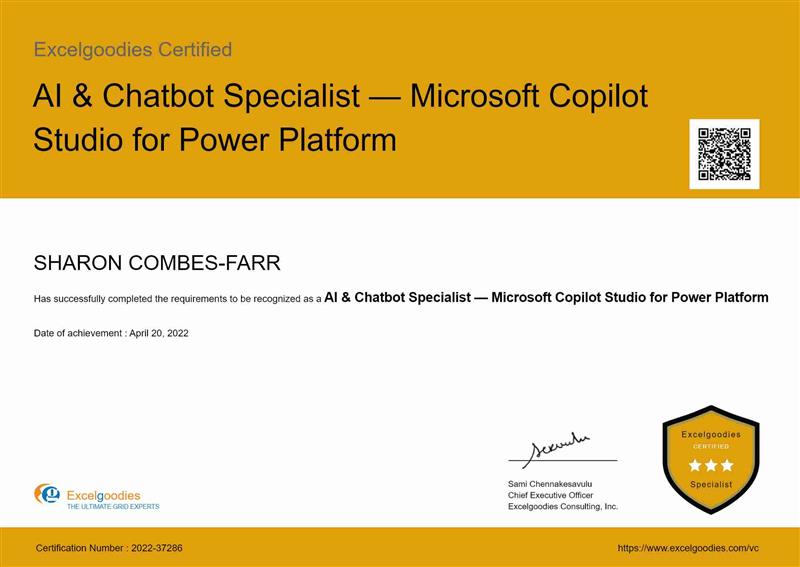
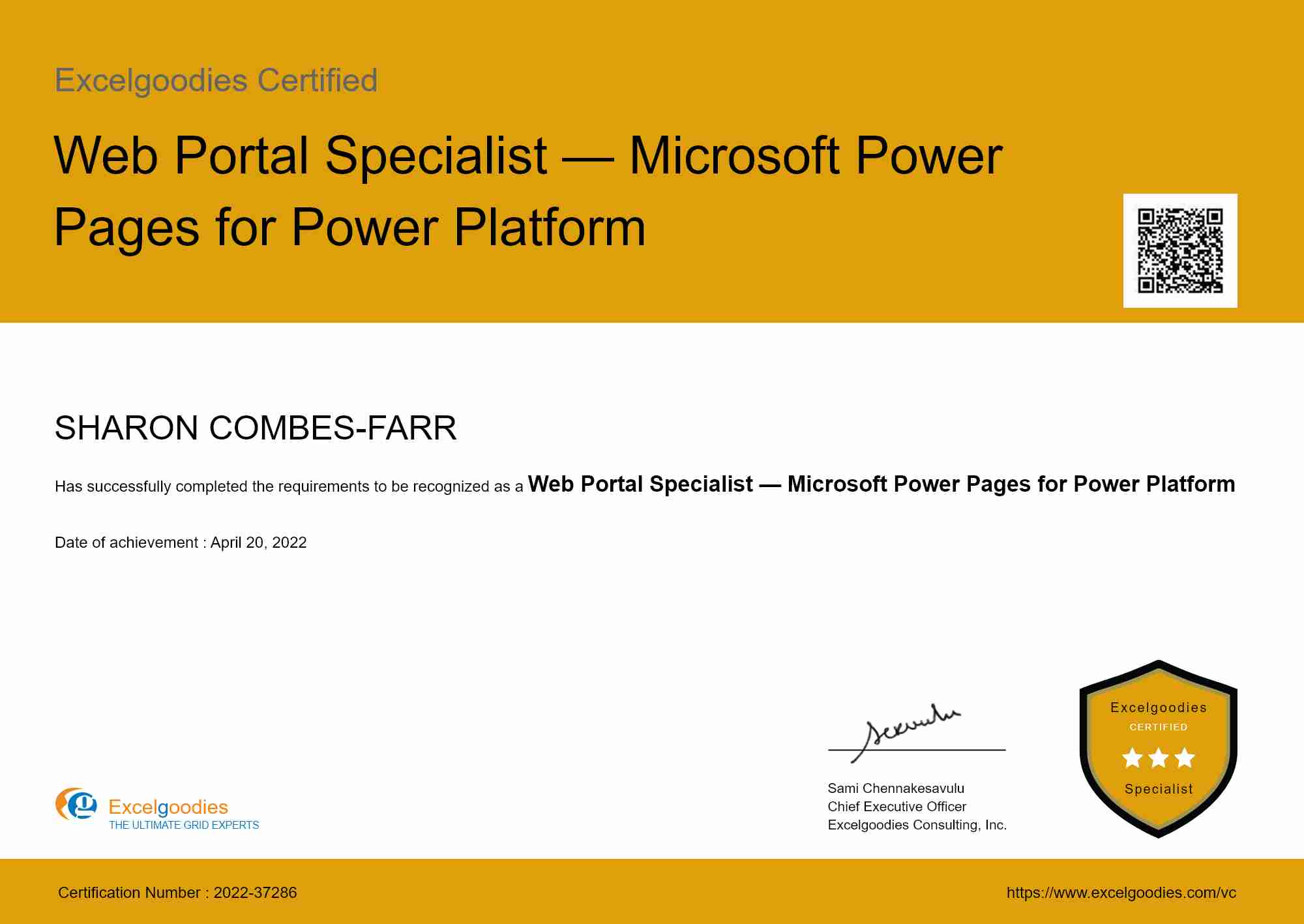
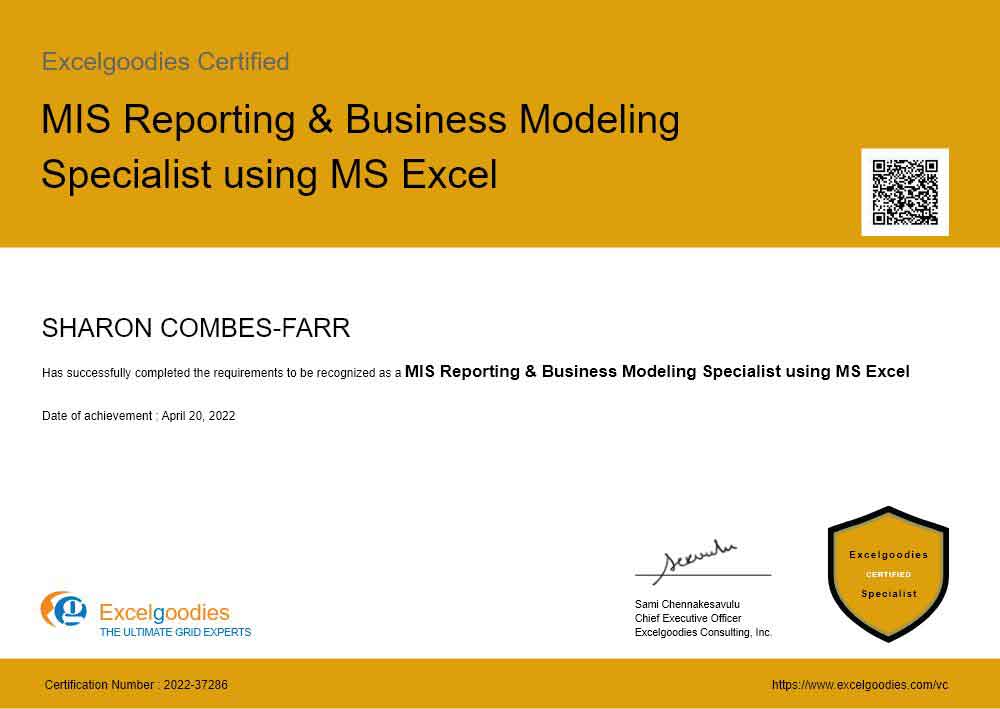
Gain industry-recognized credentials.

6 Specialized Certificates

Shareable certificate

Add to your LinkedIn profile

Gain industry-recognized credentials.

6 Specialized Certificates

Training Schedule

Limited Seats. Registration Closing Soon

Have Questions?

Tel:

+44 (0)20 3769 3689

Email:

support@excelgoodies.uk

Projects & Assignments

What's included?

  • 40 hours of live instructor-led training
  • 6 industry-recognized certificates
  • 8 Excel reports & models
  • 12 Power BI + DAX dashboards
  • 6 Power Query projects
  • 6 Power Pivot models
  • 5 Power Apps projects
  • 5 Power Automate projects
  • 5 RPA workflow projects
  • 5 Copilot Studio projects
  • 5 Power Pages projects
  • 5 Dataverse projects
  • 3 Power BI + DAX + Power Query dashboards
  • 9 master projects integrating Power BI, DAX, Power Query, Power Automate, Power Apps, Copilot Studio, Power Pages, and Dataverse

Upcoming Cohort

Starts On

Time

Course Fee

£1299

FAQs

The key difference is automation and scalability:

On-Prem: Works best for teams using Excel, Power BI Desktop, SQL, and VBA for local data processing and reporting.

On-Cloud: Goes beyond traditional reporting by automating workflows, building business apps, and integrating data across the Microsoft ecosystem using:

  • Power BI – Interactive dashboards & real-time insights
  • Power Automate – Hands-free workflow automation
  • Power Apps – Low-code applications to streamline business processes
  • Copilot Studio – AI-powered chatbots for conversational business automation and intelligent self-service
  • Power Pages – External-facing portals and self-service websites for customers, partners, and vendors
  • Dataverse – Secure, scalable data platform that powers apps, bots, flows, and portals across the Power Platform

This course is ideal for business professionals, data enthusiasts, and IT teams looking to automate reporting, streamline workflows, build business apps, deploy AI chatbots, and create external portals using Power BI, Power Automate, Power Apps, Copilot Studio, Power Pages, and Dataverse—without heavy coding.

No prior coding experience is required! We start with the fundamentals and gradually move to advanced topics. Whether you're a beginner or have some experience in Power BI, this course will help you build end-to-end automation and AI-powered solutions using Power BI, Power Automate, Power Apps, Copilot Studio, Power Pages, and Dataverse.

  1. Power BI Desktop

    Free & Downloadable from Microsoft Store App

  2. Excel 2016 & above with PowerPivot

    Available with Office 365 subscriptions that include desktop versions of Excel for Windows.

  3. Microsoft Copilot Studio

    Microsoft Copilot Studio

    https://copilotstudio.microsoft.com

    Sign up for a free trial to build and test AI-powered chatbots. A Microsoft 365 or Power Platform account is required.

  4. Microsoft Power Pages

    https://make.powerpages.microsoft.com

    Access through the Power Platform maker portal. A Power Pages trial or developer plan is available for practice.

  5. Microsoft Dataverse

    Included with Power Apps and Power Pages environments. No separate installation needed — access through the Power Platform admin center.

  6. Power Automate & Power Apps

    Power Apps
    https://www.microsoft.com/en-us/power-platform/products/power-apps
    Sign-up for free developer plan

    Power Automate
    https://www.microsoft.com/en-us/power-platform/products/power-automate
    Sign-up for a free 30-day trial

  7. Secondary Monitor (optional, but recommended)

    Having a secondary monitor will greatly assist in following the pace of the trainer. It allows you to view instructions and your own workspace simultaneously, enhancing your learning experience.

Yes! We offer discounts for teams of 5 or more enrolling together. We also provide customized corporate training for organizations.

Contact us for group pricing.

Yes! We provide corporate invoices for employer-sponsored payments. Your company can pay via:

  • Corporate card
  • Invoice forwarded to your finance team (payment options available during sign-up)
  • Credit/Debit cards
  • Wire transfers
  • Corporate invoices for employer-sponsored payments

A paid subscription is not required. We’ll guide you through setting up free-tier access for:

We also provide step-by-step setup instructions for a seamless learning experience.

Absolutely! This course is designed for business professionals in finance, marketing, HR, and operations who want to:

  • Automate manual reporting tasks
  • Build low-code apps & workflow automation
  • Reduce reliance on IT teams for data management
  • Deploy AI chatbots and self-service portals without writing code

You don’t need a coding background— just a willingness to learn!

Data and automation are shaping the future of work, and companies are actively seeking professionals who can streamline processes and drive efficiency. This course future-proofs your career by equipping you with Power BI, Power Apps, Power Automate, Copilot Studio, Power Pages, and Dataverse—the core Microsoft Power Platform tools for modern business automation and AI.

  • Stay Ahead of Industry Trends – Master automation and analytics to keep up with evolving business needs.
  • Boost Your Value – Automate workflows, reduce manual effort, and drive data-driven decision-making.
  • Open New Career Paths – Gain the skills needed for high-demand roles in BI, process automation, conversational AI, portal development, and data analytics.

Whether you're looking to advance in your current role or pivot into automation and BI, this course ensures you're ready for the future of business technology.

Yes! Upon successfully completing the course and final assessments, you will receive the Microsoft Power Platform & AI Specialist Certificate (On-Cloud).

Additionally, you will earn the prestigious FSBI® – Cloud Title, recognizing you as part of a certified global community of BI and automation experts. This title sets you apart in the industry, showcasing your expertise in Power BI, Power Apps, Power Automate, Copilot Studio, Power Pages, and Dataverse and your ability to implement automation-driven reporting and business solutions.

  • You’ll receive detailed class notes & exercises
  • You can attend the same session in a future batch (subject to availability)
  • Live, instructor-led training with hands-on exercises
  • Real-world business scenarios to apply your learning
  • Q&A discussions & troubleshooting to reinforce concepts

No, this is a live interactive course with hands-on projects. However, you’ll receive detailed assignments, documentation, and automation templates to practice.

  • You can retake specific sessions in a future batch (subject to availability)
  • Full course re-enrollment may require an additional fee

Unlike pre-recorded courses, this program is:

  • Live & interactive (hands-on learning, not just videos)
  • Business-focused, solving real-world problems
  • Instructor-led, ensuring direct support & immediate skill application

More questions ?

Build Real-World Solutions During the Course

Key Skills You'll Master

Cloud Data Integration & Management

Cloud Data Modeling

Real-Time Data Processing & Handling

Cloud-Based Data Transformation

Cloud Reporting & Dashboard Creation

Automated Cloud Reporting & Scheduling

Cloud Performance Optimization

Collaborative Cloud Analytics

Cloud Data Security & Governance

Cloud Automation Techniques

Cloud-Based Solution Design

AI-Powered Business Process Automation

Cloud Performance Tuning

AI Chatbot Design & Deployment

Conversational AI with Copilot Studio

External Portal & Website Development

Enterprise Data Modeling with Dataverse

Generative AI Integration for Business

skills to master

About The Trainer

Mr. Sami

MCT, MCP, MEE, MOS

30,000+

Students Trained

18+

Year of Experience

4.9

Reviews

Mr. Sami is an exceptionally accomplished and certified Microsoft Trainer, possessing extensive expertise in the fields of Finance, HR, and Information Technology. With an impressive 14-year tenure in the industry, he has successfully trained and empowered over 30,000 professionals, and the number continues to grow.

He has undertaken assignments with the renowned IRS, The World Bank, Tata Chemicals, Buckman Laboratories, Standard Chartered, ING Barings and much more. His nature of going that Extra Mile has got him the startling popularity amongst the Excelgoodies prominent clients.

Build Real-World Solutions During the Course

Eg difference The Excelgoodies Difference

We Spot Trends Before They Become Industry Standards

The analytics industry moves fast. We move faster. We constantly update our courses to match the latest industry needs, so you’re always learning what’s in demand—before everyone else.

01
02

Learn What Matters, Not Just What’s Trending

BI & Analytics isn’t about knowing one tool—it’s about knowing how to use the right tools together. Our courses don’t just teach software; they teach end-to-end reporting, automation, and cloud-driven analytics workflows—exactly what businesses need.

Tech-Enabled Learning,
Zero Hassles

Forget scattered emails and outdated PDFs. Our AI-powered student portal keeps everything in one place—live classes, assignments, progress tracking, instructor feedback, invoices, and instant support—so you stay focused on learning.

03
04

Real Projects, Real Experience, Real Confidence

No more theory-only learning—you’ll walk out of our courses with proven expertise in the tools and techniques hiring managers want.

Corporate Training

bi_report_automation_mob

Avail additional 10% Corporate Benefit on the total course fee for 5+participants.

Get you team BI ready, today.

Daniel Carter

Business Associate

Prove you're human: Type the code shown.

=
Excelgoodies

Esteemed Clientele

Esteemed Clientele Esteemed Clientele Esteemed Clientele Esteemed Clientele Esteemed Clientele Esteemed Clientele Esteemed Clientele Esteemed Clientele Esteemed Clientele Esteemed Clientele Esteemed Clientele Esteemed Clientele Esteemed Clientele Esteemed Clientele Esteemed Clientele Esteemed Clientele Esteemed Clientele Esteemed Clientele Esteemed Clientele Esteemed Clientele Esteemed Clientele Esteemed Clientele Esteemed Clientele Esteemed Clientele Esteemed Clientele Esteemed Clientele Esteemed Clientele Esteemed Clientele Esteemed Clientele Esteemed Clientele Esteemed Clientele Esteemed Clientele Esteemed Clientele Esteemed Clientele Esteemed Clientele Esteemed Clientele

Thousands Trained. Here’s What They Say.

Total Reviews 2080k
Average Rating
4.5
Excelgoodies Excelgoodies Excelgoodies Excelgoodies Excelgoodies
Why Excelgoodies image

Thousands Trained. Here’s What They Say.

Google Reviews

Industry Insights

Industry Insights

APPLICATION DEADLINE

Registration Closes
on .

Prove you're human: Type the code shown.

=
Excelgoodies