Excelgoodies logo +44 (0)20 3769 3689

Power BI Training in Belfast, UK

Power BI Course:
Beginner to Expert. Now with AI.

Power BI Power Pivot Power Query DAX Copilot Claude AI

  • Live Online | 2 Weeks (10 sessions, 2 hrs each)
  • 14 Advanced Power BI Dashboards | 5 Other Projects

(2K+ Professionals enrolled)

Prove you're human: Type the code shown.

=
Excelgoodies

Power BI Training in Belfast – Program Overview

Training Schedule

View Schedule

2 Weeks | 20 Hours

10 Sessions, 2 Hrs Each

Live Online, Instructor-Led

Pre-Requisite

Excel Formulas, Pivots & Charts

Power BI Course Fee

£599

Check what’s included?

Power BI Reporting in Belfast

floating_menu floating_menu floating_menu

Batch starts on

th

From Beginner to Expert

Power BI + Expert Training = Data Reporting Pro

Turning You into a Reporting Powerhouse in Belfast.

This course is perfect for professionals in Belfast, whether you’re just starting out or looking to sharpen your skills. It covers everything from basic Power BI concepts to advanced features, helping you create powerful reports, dashboards, and analytics that deliver real, actionable insights for businesses in the Belfast Region.

Tools You'll Master in Power BI Training

Visualization Tool

Power BI

Data Modeling Tools

Power Pivot, DAX 

Data Transformation Tool

Power Query 

Data Analysis & Calculation Tool

DAX 

AI for Power BI

Copilot + Claude AI

What You’ll Achieve in Just 2 Weeks with Power BI Training?

Create Professional-Grade Power BI Dashboards - for better decision-making.

Master Power Query for Data Cleaning – Learn to transform messy data into structured reports.

Design Efficient Data Models – Establish relationships and use calculated tables in Power Pivot.

Write Powerful DAX Formulas – Gain confidence in handling calculations and logic-based analysis.

Integrate Data from Various Sources – Work with Excel, CSV, and SQL (import mode) effortlessly.

Apply AI to Your Power BI Workflow – Use Copilot and Claude to speed up reporting, automate routine tasks, and validate your work.

What You’ll Achieve in Just 2 Weeks with Power BI Training?

Create Professional-Grade Power BI Dashboards - for better decision-making.

Master Power Query for Data Cleaning – Learn to transform messy data into structured reports.

Design Efficient Data Models – Establish relationships and use calculated tables in Power Pivot.

Write Powerful DAX Formulas – Gain confidence in handling calculations and logic-based analysis.

Integrate Data from Various Sources – Work with Excel, CSV, and SQL (import mode) effortlessly.

Apply AI to Your Power BI Workflow – Use Copilot and Claude to speed up reporting, automate routine tasks, and validate your work.

Ideal For:

ideal_for image

Finance & Operations

looking to improve reporting, forecasting, and trend analysis

ideal_for image

Data Analysts

looking to enhance their data visualization and reporting capabilities.

ideal_for image

Business Analysts

aiming to transform data into interactive reports and dashboards.

ideal_for image

Managers

who need insights to make informed business decisions.

ideal_for image

Non-Technical Professionals

wanting to improve their BI Reporting skills without technical expertise.

ideal_for image

IT & Database Professionals

seeking to create business reports without deep SQL knowledge.

A snapshot of what you'll be learning in 2-weeks.

Power BI Course Syllabus - Belfast

Power BI

Building Blocks of Power BI
  • Visualizations
  • Datasets
  • Reports
  • Dashboards
  • Tiles
Building Your First Power BI Report
  • Connect to Data Sources in Power BI Desktop
  • Clean and Transform Your Data With the Query Editor
  • Create a report in Power BI Desktop
  • Publish the report in the Power BI service
Data Modelling with Power BI
  • Fundamentals of Modelling
  • How to Manage Your Data Relationships
  • Create Calculated Columns
  • Optimizing Data Models for Better Visuals
  • Create measures and work with time-based functions
  • Create Calculated Tables
  • Explore Time-Based Data
Visualizations
  • Create and Customize Simple Visualizations
Building compelling data visualizations
  • Identify metrics and pair them with appropriate data visuals
  • Using slicers
  • Creating Map Visualizations
  • Creating Tables and Matrixes
  • Creating Waterfall and Funnel Charts
  • Using Gauges and Single Number Cards
  • Charting Options including Formatting with Colors, Shapes, Text Boxes, Images, etc.
Designing User-friendly reports
  • Customize themes
  • Create versatile layouts for your reports
  • Design principles to reduce noise and highlight data stories
Creating interactive reports for data exploration
  • Filtering & drilling for insights
  • Difference between filters & slicers
  • Filter pane for reporting needs

DAX Functions

Overview
  • What is DAX?
  • Data Types
  • Table-Valued Functions
  • Building a Calendar Table
  • Date and Time Functions
  • Filter Functions
  • Information Functions
  • Logical Functions
  • Mathematical and Trigonometric Functions
  • Statistical Functions
  • Text Functions
  • Time Intelligence Functions
  • Creating Advanced DAX Measures With Advanced DAX Functions
Creating Advanced Dax Measures With Advanced Dax Functions
  • Calculate()
  • All()
  • Filter()
  • IF()
  • Switch()
  • SumX()
Evaluation Context
  • Filter Context
  • Row Context
  • Using RELATED in a Row Context
  • Filters and Relationships
  • USERELATIONSHIP
Hierarchies in DAX Querying with DAX Relationships
  • One-to-Many Relationships
  • Many-to-Many Relationships

Power Query

Overview
  • Introduction
  • Loading & Refresh
  • Combine data from multiple data sources
Data Transformation
  • Editing Queries Created with Power Query
  • Editing Column Headers in Power Query
  • Splitting Column Data with Power Query
  • Sorting Data
  • Multi-Level Sorting
  • Filtering Data
  • Aggregate data from a column
  • Insert a custom column into a table
  • Merge columns
  • Remove columns
  • Remove rows with errors
  • Promote a row to column headers
  • Transforming Text Values
  • Replacing Data
  • Using the Fill command
  • Pivot and Unpivot Column
  • Transpose Query Data
  • Pivot Column Command in Action
  • Unpivot Columns Command
  • Grouping Data
  • Create a Duplicate Query
  • Group and Summarize Data
  • Advanced Data Grouping
  • Working with multiple sources in Power Query
  • Multiple Excel Tables
  • Expand a column containing an associated table
  • Understanding Table Relationships
  • Merging Queries
Loading Power Query Data to Destinations
  • Familiarity with the Load & Refresh Settings
  • Loading it to Workbook
  • Loading it to Data Model

Power Pivot

Introduction to PowerPivot
  • Limitation of Excel Functions
  • Limitation of Excel PivotTable
  • Why PowerPivot?
  • PowerPivot Features - Overview
PowerPivot Environment
  • Opening PowerPivot Environment
  • Understanding External Data Section
  • Understanding Formatting
  • PowerPivot Views
  • Understanding Measures
Taking Data into PowerPivot
  • From Excel
  • From MS Access
  • From MS-SQL
  • From Custom Query
  • From Text Files
  • From Other Sources
Calculated Columns
  • Calculated Columns
  • Entering Formulas
  • Using AutoComplete Feature
  • Renaming Columns
  • Understanding Tables
Creating Measures
  • Creating Simple DAX Measures
  • Explicit Measure Vs Implicit Measure
  • Referencing Measures in Other Measures
  • Formatting Measures
Manage Data Relationships Working with Multiple Tables Disconnected Tables Creating custom calendars using ADVANCED FILTER() Advanced calculated columns
  • Understanding Relationship Concept
  • JOIN TABLES
  • LEFT JOIN TABLES
  • RIGHT JOIN TABLES
  • Using UNION QUERIES
Data visualization Using
  • Power View
  • Charts, Score Cards and Dashboards
  • Slicers
  • Map Visualizations
  • Data Binding and Formatting
Creating Advanced Dashboards with PowerPivot

AI-Powered BI with Microsoft Copilot

AI-Powered BI with Microsoft Copilot
  • Introduction to Copilot in Power BI
  • Generating DAX measures using natural language prompts
  • Building report pages with Copilot (conversational report creation)
  • AI-generated narrative summaries for dashboards
  • Preparing your semantic model for Copilot (data prep for AI)
  • Smart Narratives and Q&A visuals
  • Copilot licensing and organizational requirements

Supercharging BI with Claude AI

Supercharging BI with Claude AI
  • Claude for data analysis: uploading, cleaning, and exploring datasets
  • Writing and debugging DAX with Claude
  • Generating SQL queries from natural language using Claude
  • Interpreting analytical results and statistical outputs with Claude
  • Creating executive-ready data narratives and summaries
  • Claude vs. Copilot: when to use which tool
  • Building an AI-augmented BI workflow (bringing it all together)

Power BI System Requirements

  1. Required Software (Free Downloads):

    • Power BI Desktop: Download here

    • Microsoft Excel (2016 or later) (Required for Power Query & Power Pivot features)

  2. Required Specifications:

    • High-Speed Internet: A stable and fast connection is required for a smooth learning experience, software downloads, and data connections.

  3. Recommended Specifications:

    • Operating System: Windows 10 (Professional, Enterprise, or Education) or Windows 11 (Power BI Desktop is not supported on Windows 10 Home or macOS)

    • Processor: Intel Core i5 / AMD Ryzen 5 or higher (Core i3/Ryzen 3 minimum)

    • RAM: 16 GB or more (8 GB minimum, but higher is recommended for large datasets)

    • Secondary Monitor: Useful for multitasking across reports and datasets

  4. For Mac Users:

    Power BI Desktop is not available for macOS. To run Power BI on a Mac, you can use:

    • Windows via Boot Camp (Requires partitioning your Mac's storage)

    • Virtual Machines (e.g., Parallels, VMware, or VirtualBox with a licensed Windows OS)

  5. Secondary Monitor (optional, but recommended)

    Having a secondary monitor will greatly assist in following the pace of the trainer. It allows you to view instructions and your own workspace simultaneously, enhancing your learning experience.

Advanced power bi courses in Belfast– now available.

Take Power BI to the Next Level

Includes Power BI training

Power Apps & Power Automate

Learn Power BI alongside app building & workflow automation — one course, broader skills

View Details

Includes Power BI training

Microsoft Power Platform & AI

Power BI + Power Apps + Power Automate + Copilot Studio — the complete Microsoft cloud stack

View Details
About the trainres

Taught by Microsoft-Certified Power BI Trainers

All our classes are live,
hands-on and with
real-trainers.

About the trainres

Build Real-World Power BI Dashboards.

Real-time Projects (Practical Application)

This Belfast Power BI course includes 12–14 hands-on projects, focusing on creating interactive dashboards, transforming data with Power Query, and writing DAX formulas. Gain real-world experience in data analytics and reporting automation — skills highly valued across Belfast’s finance, consulting, tech, and healthcare industries.

Inventory & Supply Chain

Create dynamic visualizations that track inventory levels, order fulfillment rates, and supplier performance. Learn to automate real-time data alerts to ensure optimal stock levels and timely deliveries.

Financial Health Dashboard

Build financial dashboards that display key metrics like revenue, expenses, and cash flow, with live updates. Automate reports that compare actual vs. budget figures and offer real-time insights for business decisions.

Customer Support Dashboard

Visualize customer service metrics such as ticket status, response times, and customer satisfaction. Learn how to automate ticket updates and generate insights to improve support efficiency.

Sales Performance Dashboard

Track sales revenue, regional performance, and top-selling products using dynamic visualizations. Create automatic reports to measure progress against sales targets.

Project Management Dashboard

Design a project management dashboard that tracks timelines, budgets, and milestones in real time. Automate status updates to identify risks or delays early.

Marketing Campaign Dashboard

Build dashboards that visualize key marketing metrics, such as conversions, impressions, and ROI. Automate reports to evaluate campaign success and optimize marketing strategies.

Create dynamic visualizations that track inventory levels, order fulfillment rates, and supplier performance. Learn to automate real-time data alerts to ensure optimal stock levels and timely deliveries.

Build financial dashboards that display key metrics like revenue, expenses, and cash flow, with live updates. Automate reports that compare actual vs. budget figures and offer real-time insights for business decisions.

Visualize customer service metrics such as ticket status, response times, and customer satisfaction. Learn how to automate ticket updates and generate insights to improve support efficiency.

Track sales revenue, regional performance, and top-selling products using dynamic visualizations. Create automatic reports to measure progress against sales targets.

Design a project management dashboard that tracks timelines, budgets, and milestones in real time. Automate status updates to identify risks or delays early.

Build dashboards that visualize key marketing metrics, such as conversions, impressions, and ROI. Automate reports to evaluate campaign success and optimize marketing strategies.

Power BI Certification in Belfast

Certification:
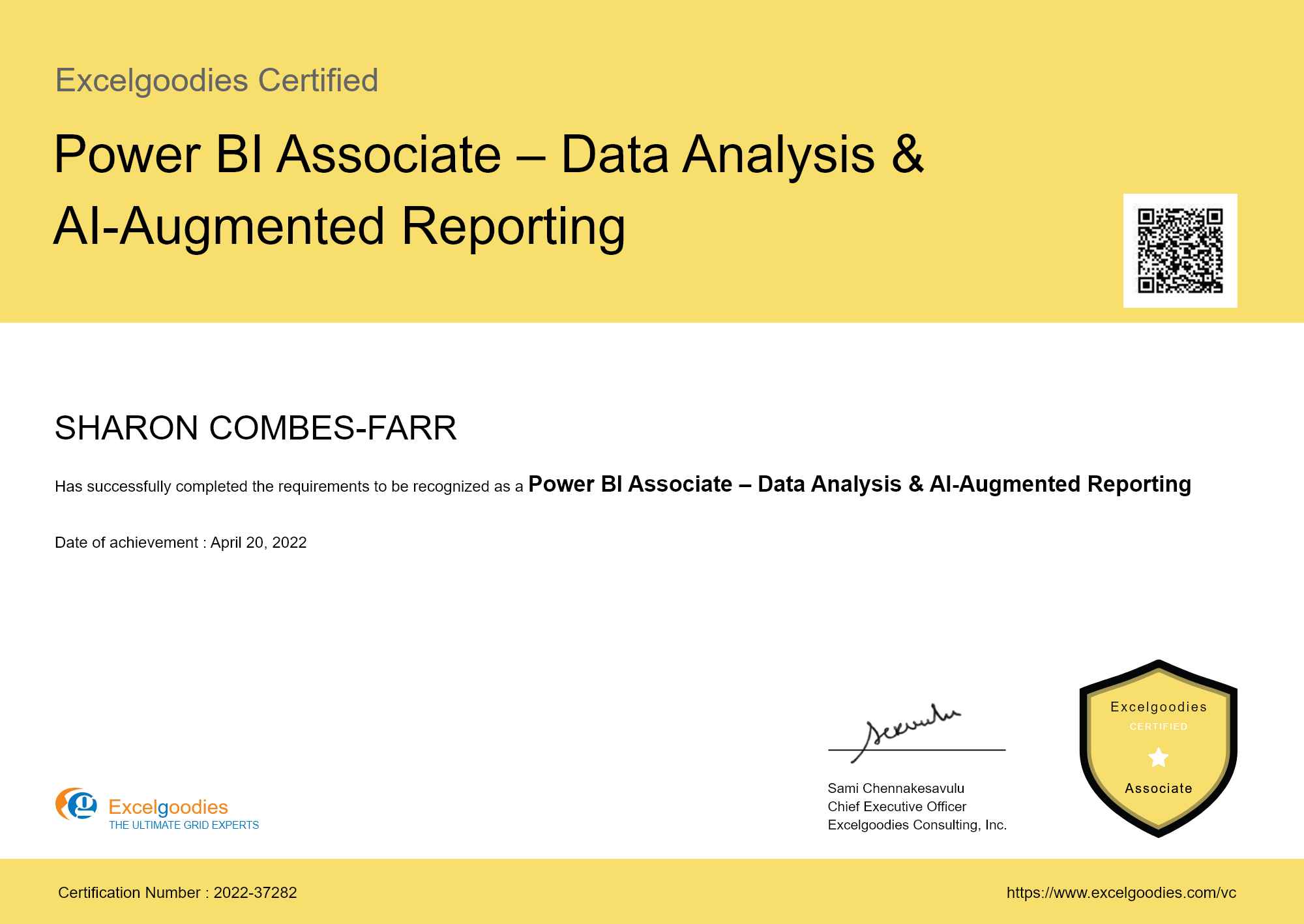
Power BI Associate – Data Analysis & AI-Augmented Reporting

A certificate alone isn’t enough—you need real skills. Our certifications combine industry recognition with hands-on training, so you’re not just qualified, but ready to perform from day one in the city’s fast-paced business environment.

Eligibility:

On clearing post-training assessment.

View Sample Certificate

Shareable certificate

Add to your LinkedIn profile

Excelgoodies

Level : ASSOCIATE

Certificate Code : EG-ASC-003

Eligibility:

On clearing post-training assessment.

Shareable certificate

Add to your LinkedIn profile

Power BI Training Schedule - Belfast

Jan 6 - Mar 28, 2025

Limited Seats. Registration Closing Soon

Have Questions?

Tel:

+44 (0)20 3769 3689

Email:

support@excelgoodies.uk

Projects & Assignments

What's included?

  • 20 hours of live, instructor-led sessions
  • 14 Power BI + DAX projects
  • 6 Power Query projects
  • 3 Power Pivot models
  • 2 AI-powered BI sessions (Copilot + Claude)
  • 30-day post-training email support
  • BI Reporting Specialist Certificate

Upcoming Cohort

Starts On

Time

Course Fee

£599

5+ people? Get 10% extra! Claim now →

Power BI Training FAQs

Absolutely! The course begins with the fundamentals and gradually moves to advanced reporting, making it perfect for both beginners and seasoned professionals working in Belfast’s fast-paced business environment.

If you miss our live session, we provide class notes and exercises to help you catch up. You can also attend the same session in a future batch, subject to availability.

We accept credit/debit cards, wire transfers, and corporate invoices for employer-sponsored payments, a popular choice among Belfast–based companies for their teams.

No! The session starts from scratch and gradually moves to advanced concepts, making it beginner-friendly. However, basic Excel skills are recommended.

  1. Required Software (Free Downloads):

    • Power BI Desktop: Download here

    • Microsoft Excel (2016 or later) (Required for Power Query & Power Pivot features)

  2. Required Specifications:

    • High-Speed Internet: A stable and fast connection is required for a smooth learning experience, software downloads, and data connections.

  3. Recommended Specifications:

    • Operating System: Windows 10 (Professional, Enterprise, or Education) or Windows 11 (Power BI Desktop is not supported on Windows 10 Home or macOS)

    • Processor: Intel Core i5 / AMD Ryzen 5 or higher (Core i3/Ryzen 3 minimum)

    • RAM: 16 GB or more (8 GB minimum, but higher is recommended for large datasets)

    • Secondary Monitor: Useful for multitasking across reports and datasets

  4. For Mac Users:

    Power BI Desktop is not available for macOS. To run Power BI on a Mac, you can use:

    • Windows via Boot Camp (Requires partitioning your Mac's storage)

    • Virtual Machines (e.g., Parallels, VMware, or VirtualBox with a licensed Windows OS)

  5. Secondary Monitor (optional, but recommended)

    Having a secondary monitor will greatly assist in following the pace of the trainer. It allows you to view instructions and your own workspace simultaneously, enhancing your learning experience.

No, we use Power BI Desktop (free version) during training. A Pro or Premium license is only required if you plan to publish reports to the Power BI Service after training.

Yes! We offer corporate invoices for employer-sponsored payments, and many Belfast companies register their teams this way.

Yes! We offer discounts for teams of 10 or more and provide customized corporate training for businesses across Belfast.

Yes! After successfully completing the live session, you’ll earn the Power BI Associate – Data Analysis & Dashboards Certificate, widely recognized by employers across Belfast.

Yes! You’ll learn DAX for advanced calculations and Power Query for data transformation — essential skills for building scalable and efficient reports.

Yes — this is a live, instructor-led program, featuring hands-on exercises, real-time case studies, and live Q&A sessions, making it much more engaging than pre-recorded tutorials.

Yes! You can retake sessions in a future batch (subject to availability). Full course re-enrollment may involve an additional fee.

Unlike pre-recorded tutorials, this course is fully live and interactive, with certified trainers, hands-on projects, and personalized support — trusted by professionals across Belfast.

The Power BI training fee in Belfast Region is £599 for the full 2-week program (20 hours, live, instructor-led). Corporate groups may be eligible for extra discounts.

Currently, we don’t offer weekend classes. All live sessions are held on weekdays to ensure consistency and optimal trainer availability. Evening slots may be available — please check the latest schedule for Belfast.

Yes. Sessions 9 and 10 are dedicated to AI-powered BI. You’ll learn Microsoft Copilot for natural language report building inside Power BI, plus Claude AI for data analysis, DAX generation, and executive reporting outside Power BI. But here’s what makes our approach different: we teach AI after you’ve built the foundational skills (Sessions 1–8). This way, when AI gives you an output, you’ll know whether it’s correct, how to fix it if it’s not, and when it’s better to do the work yourself.

Absolutely — and this is the most important question to get right. AI tools like Copilot can generate DAX formulas from plain English, but they make mistakes. They get evaluation contexts wrong. They misinterpret relationships. They produce formulas that look correct but return wrong numbers. If you don’t understand DAX yourself, you’ll accept wrong answers without realizing it. Our course teaches you DAX thoroughly (Sessions 5–7) so that when you use AI to speed up DAX writing (Session 9–10), you have the expertise to validate, refine, and trust the output. AI makes fast work faster — but only if you know what “correct” looks like.

Claude AI (by Anthropic) is a general-purpose AI assistant that excels at data analysis, code generation, and turning complex data into plain-English narratives. We include it because Copilot only works inside Power BI — but real-world BI work involves tasks outside Power BI too: cleaning messy source data, writing SQL queries, debugging formulas, interpreting statistical results, and preparing executive summaries. Claude handles all of that. Together, Copilot (inside Power BI) and Claude (outside Power BI) give you a complete AI-augmented workflow. Session 10 teaches you when to use which tool — and when to rely on your own expertise instead.

No. We demonstrate Copilot features live during Session 9. For hands-on practice with Copilot in your own Power BI environment, you’d need a Fabric capacity (F64+) or Premium Per User license, but this is not required for the course. Claude AI is accessible via a free tier, so you can follow along with Session 10 on your own device.

More questions ?

Master In-Demand Power BI & Data Analytics Skills

Key Skills You'll Master

Interactive Dashboards & Visualization

Data Transformation

Data Modeling & Relationships

Advanced DAX Calculations

Multi-Source Data Integration

Automated Reporting & Refresh

Performance Optimization

Role-Based Security & Access Control

AI-Powered Report Building (Copilot)

AI-Assisted Data Analysis & Storytelling (Claude)

skills to master

About The Trainer

Mr. Sami

MCT, MCP, MEE, MOS

30,000+

Students Trained

18+

Year of Experience

4.9

Reviews

Mr. Sami is an exceptionally accomplished and certified Microsoft Trainer, possessing extensive expertise in the fields of Finance, HR, and Information Technology. With an impressive 18-year tenure in the industry, he has successfully trained and empowered over 30,000 professionals, and the number continues to grow.

He has undertaken assignments with the renowned IRS, The World Bank, Tata Chemicals, Buckman Laboratories, Standard Chartered, ING Barings and much more. His nature of going that Extra Mile has got him the startling popularity amongst the Excelgoodies prominent clients.

Build Real-World Solutions During the Course

Eg difference The Excelgoodies Difference

We Spot Trends Before They Become Industry Standards

The analytics industry moves fast. We move faster. While other courses are still debating whether to add AI, we’ve already integrated Copilot and Claude AI into our training — because we believe you should learn what’s next, not just what’s now. But we do it the right way: AI after foundations, not instead of them.

01
02

Learn What Matters, Not Just What’s Trending

Everyone’s talking about AI. But AI without expertise is just guesswork with a better interface. Our course teaches you Power BI deeply first, then shows you how to use AI (Copilot + Claude) as a professional tool — not a shortcut. You’ll know which tasks to delegate to AI, which to do yourself, and how to verify everything in between.

Tech-Enabled Learning,
Zero Hassles

Forget scattered emails and outdated PDFs. Our AI-powered student portal keeps everything in one place—live classes, assignments, progress tracking, instructor feedback, invoices, and instant support—so you stay focused on learning.

03
04

Real Projects, Real Experience, Real Confidence

No more theory-only learning—you’ll walk out of our courses with proven expertise in the tools and techniques hiring managers want.

Corporate Power BI Training

bi_report_automation_mob

Avail additional 10% Corporate Benefit on the total course fee for 10+participants.

Get your team BI-ready and AI-ready —
in the same course.

Daniel Carter

Business Associate

Prove you're human: Type the code shown.

=
Excelgoodies

Esteemed Clientele

Esteemed Clientele Esteemed Clientele Esteemed Clientele Esteemed Clientele Esteemed Clientele Esteemed Clientele Esteemed Clientele Esteemed Clientele Esteemed Clientele Esteemed Clientele Esteemed Clientele Esteemed Clientele Esteemed Clientele Esteemed Clientele Esteemed Clientele Esteemed Clientele Esteemed Clientele Esteemed Clientele Esteemed Clientele Esteemed Clientele Esteemed Clientele Esteemed Clientele Esteemed Clientele Esteemed Clientele Esteemed Clientele Esteemed Clientele Esteemed Clientele Esteemed Clientele Esteemed Clientele Esteemed Clientele Esteemed Clientele Esteemed Clientele Esteemed Clientele Esteemed Clientele Esteemed Clientele Esteemed Clientele

Thousands Trained. Here’s What They Say.

Total Reviews 2147
Average Rating
4.5
Excelgoodies Excelgoodies Excelgoodies Excelgoodies Excelgoodies
Why Excelgoodies image

Thousands Trained. Here’s What They Say.

Google Reviews

Industry Insights

Industry Insights

APPLICATION DEADLINE

Registration Closes
on .

Prove you're human: Type the code shown.

=
Excelgoodies

Compare Power BI Bootcamp to Similar Courses

For Power Users

Power BI Pro:
SQL-Driven Advanced DAX & Reporting

Power BI | Power Query | Advanced DAX | SQL - Query & Programming

End-to-End Reporting

Full Stack BI& Automation (On Prem)

Power BI | Adv. DAX | SQL (Query & Programming) | VBA | Python | Web Scrapping | API Integration

Select one or more checkboxes